If you have ever typed something into a search box and gotten back completely irrelevant results, you already understand the core problem. For years, search systems forced us to guess the exact right words. Misspell something, use a synonym, or phrase your question slightly differently, and the system shrugged. It didn’t understand what you meant. It only knew what you typed.
That’s changing. Embeddings have shifted the game from matching spelling to matching meaning. But the journey from strict database lookups to modern vector search wasn’t a single leap. It happened in stages, and each stage solved real problems while introducing new ones.
Level 1: SQL Queries
Think of a SQL database as a very organized spreadsheet. Data lives in rows and columns, with clear types and rules. When you query it, you write something like: “Give me all customers in New York who bought a laptop in 2023.”
That’s precise. And when your data is clean and structured, it works nice.
But here’s the catch. SQL is painfully literal. If someone entered “NY” instead of “New York” in the state column, your query misses it. The database follows rules, not intent. It has zero tolerance for ambiguity, which is exactly what you want for accounting ledgers but terrible for anything involving natural language.
| Strength | Weakness |
|---|---|
| Exact, deterministic answers | No understanding of meaning or intent |
| Great for structured data (inventory, billing) | Fails on synonyms, abbreviations, typos |
| Supports joins, aggregations, filters | Requires knowing the exact schema and values |
SQL databases are still everywhere, and for good reason. If you need to sum up last quarter’s revenue or find all orders with status “shipped,” nothing beats a well-indexed SQL query. But the moment your data gets messy or your users don’t know the exact terminology, you need something else.
Level 2: Keyword Search
As the web grew, we needed search that could handle unstructured, messy text. That’s where keyword search came in, typically built on an inverted index with ranking methods like Term Frequency-Inverse Document Frequency (TF-IDF) or BM25.
The idea is straightforward. The system builds a map from every word to every document that contains it. When you search for “running shoes,” it finds all documents containing those words and ranks them. Documents where “running” and “shoes” appear frequently, but where those words aren’t common across the whole corpus, get ranked higher.
This was a massive improvement over SQL for text search. Google’s early versions ran on exactly this kind of approach (plus PageRank for authority signals).
But keyword search still leans hard on exact tokens. If a blog post is titled “top jogging sneakers” and you search for “best running shoes,” keyword search might rank it poorly or miss it entirely. The concepts are identical. The words are different. And keyword search doesn’t know the difference.
| Strength | Weakness |
|---|---|
| Handles unstructured text well | Misses synonyms and paraphrases |
| Fast, scales to billions of documents | “Jogging sneakers” ≠ “running shoes” |
| Great for exact phrases, codes, quotes | No understanding of context or meaning |
Level 3: Vector Search
Vector search flips the approach entirely. Instead of matching words, it matches meaning.
Here’s how it works. A model (typically a neural network trained on large amounts of text) converts text into vectors, which are just lists of numbers. You can think of each vector as coordinates in a high-dimensional space. The key insight is that similar meanings end up close together in that space. “Running shoes” and “jogging sneakers” land near each other because the model learned from millions of examples that these phrases appear in similar contexts.
Search then becomes a nearest-neighbor problem. You convert your query into a vector, then find the stored vectors closest to it. No word matching required.
This handles synonyms, paraphrases, and even some cross-language queries naturally. It’s also more tolerant of typos, since the embedding model often maps misspelled words close to their correct forms.
| Strength | Weakness |
|---|---|
| Understands meaning, not just tokens | Can be fuzzy with exact details |
| Handles synonyms and paraphrases naturally | “Error 404” might pull in general web error pages |
| Works across languages and modalities | Requires a good embedding model |
| Tolerates typos | Harder to debug than keyword search |
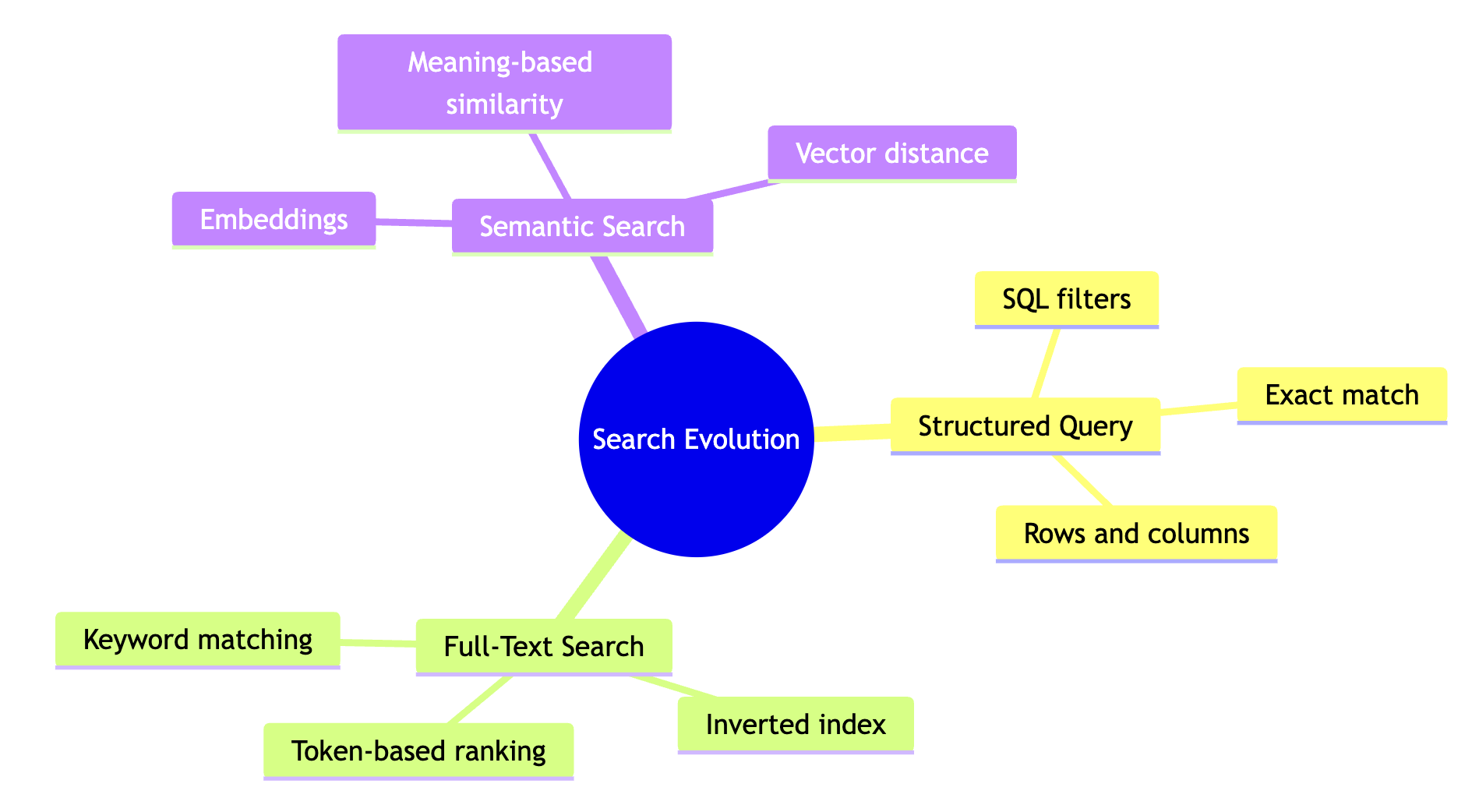
| Approach | Best when | Examples |
|---|---|---|
| SQL database | Data is structured; you need exact filters, joins, and totals | Inventory lookups, billing, transaction logs |
| Keyword search | You need exact words, phrases, or codes | Error codes, legal clauses, exact quotes |
| Vector search | You want meaning and context; you want “related to this” retrieval | Recommendations, support bots, semantic document search |
Hybrid Search: Why You Probably Want Both
Here’s the thing I keep running into when building search systems: neither keyword search nor vector search alone covers every case well. Vector search is great at meaning but can be fuzzy with specifics. Keyword search nails exact matches but is blind to synonyms.
Hybrid search combines both signals and ranks results using both.
Vector search sometimes gets too creative. Search for “Error 404” and a pure vector system might pull in general pages about web errors, HTTP status codes, and server troubleshooting, because all of those are semantically related. But you wanted the specific error code.
Keyword search has the opposite problem. It’s rigid. Search for “Apple financial report 2023” with keywords only, and you might miss documents titled “FY2023 Annual Earnings Statement” even though that’s exactly what you wanted.
Hybrid search gives you both anchors.
The typical approach runs both searches in parallel, then merges the results.
- Run keyword search to capture exact token matches
- Run vector search to capture semantic similarity
- Merge and rerank results using a method like Reciprocal Rank Fusion (RRF), or a weighted score that balances both signals

Say you search for “Apple financial report 2023.”
| Search type | What it does |
|---|---|
| Keyword search | Keeps “Apple” anchored to the company name, matches “2023” exactly |
| Vector search | Understands that “financial report” is semantically close to “earnings statement” and “annual report” |
| Combined result | Fewer results about fruit, better coverage of business documents with different titles |
The keyword component ensures you don’t drift into apple-the-fruit territory. The vector component ensures you don’t miss relevant documents just because they used different phrasing. Together, they cover each other’s blind spots.
Search has moved from strict matching to real understanding, but the most reliable systems in practice don’t throw away the old approaches. They layer them.
If your users mix exact lookups (“order #12345”) with fuzzy questions (“something similar to this product”), hybrid search is usually the most reliable path. Pure vector search impresses in demos but stumbles on specifics. Pure keyword search is reliable but brittle. The combination handles the messy reality of how people actually search.
The field is still moving fast. Learned sparse representations, cross-encoder rerankers, and retrieval-augmented generation are all pushing the boundaries further. But the core idea remains: the best search systems meet users where they are, whether they’re typing exact codes or vague descriptions of what they’re looking for.